
Why Core Web Vitals Are Non-Negotiable in 2026
A deep dive into Google's latest ranking factors and why a sub-2-second load time is the most important technical SEO metric for your e-commerce site.
Here's a scenario that plays out more often than most business owners realize: your website looks perfectly fine on your laptop, on your office Wi-Fi, in the browser you personally use every day. Meanwhile, a visitor on a three-year-old Android phone, on patchy 4G, watches your page stutter, jump, and lag every time they try to tap something. They don't file a complaint. They just leave. You never find out.
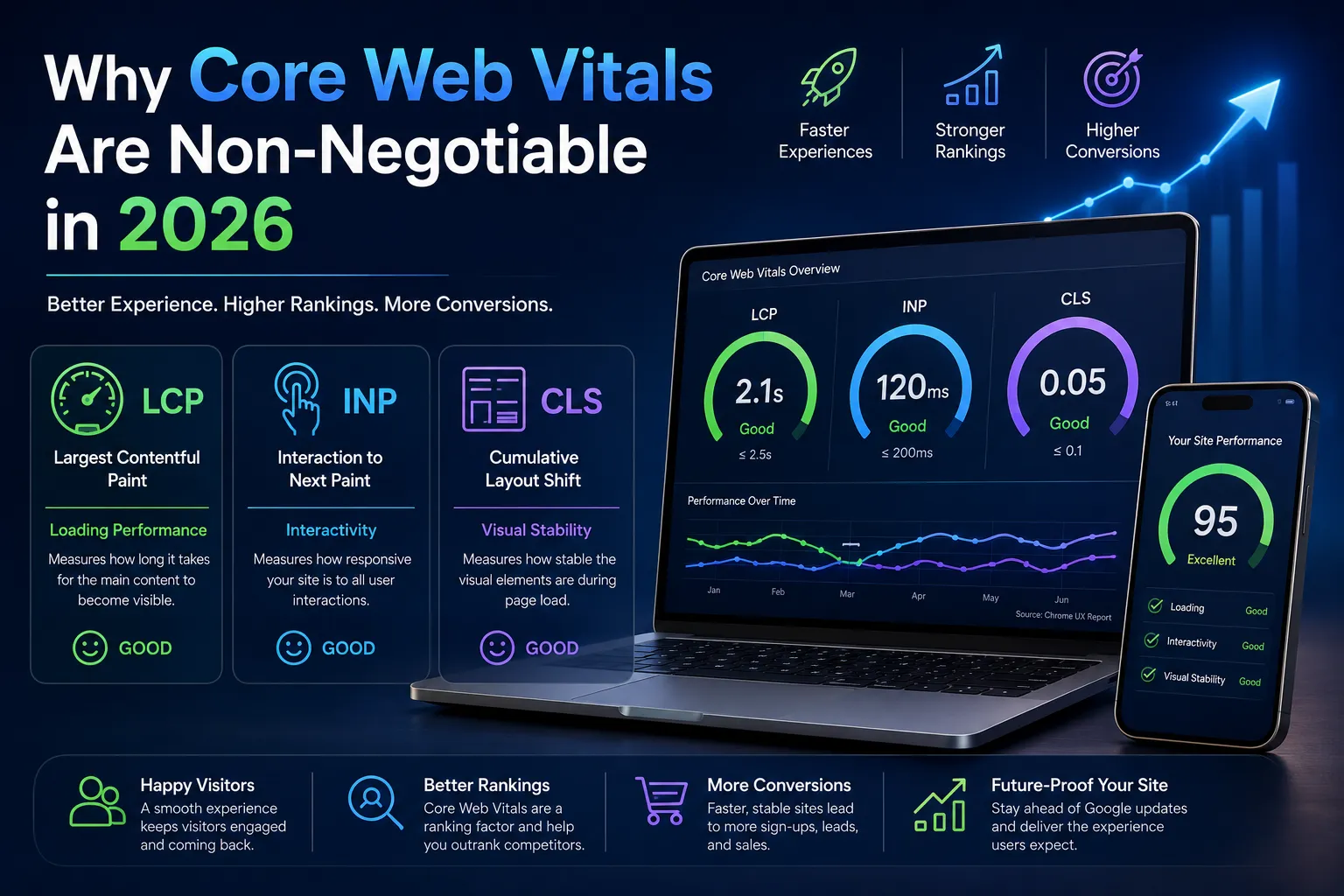
That gap between "looks fine to me" and "actually works for real visitors" is exactly what Core Web Vitals were built to close. Google has been tracking these metrics since 2021, so if you're thinking "didn't we already do this," it's a fair question. But 2026 changed the game in a few specific ways. Responsiveness is now judged by something called Interaction to Next Paint, or INP, which watches how your site behaves across an entire visit — not just how fast it reacts to the first click. And recent field data has shown a surprising number of sites failing at least one of the three core metrics, even ones that look solid at a glance.
For an SMB owner, this isn't really a "hand it to the developer and move on" problem. It's closer to a customer-experience issue that happens to live inside a technical dashboard. Below, we'll walk through what's being measured, why the stakes went up this year, and where to focus first if nobody's looked at this in a while.
What Core Web Vitals Actually Measure
Three metrics make up the current standard. Each one corresponds to a specific moment a visitor actually feels:
Largest Contentful Paint (LCP) is how long it takes for the main content — a hero image, a headline, whatever the visitor came to see — to actually show up. It's the first impression of speed, before anyone's even had a chance to click anything.
Interaction to Next Paint (INP) measures how responsive your site feels the whole time someone's on it, not just at the start. Every filter click, form submission, or dropdown menu is a chance for INP to catch a delay the old metrics used to miss entirely.
Cumulative Layout Shift (CLS) tracks visual stability. If a visitor reaches to tap a button and the page jumps right as they touch the screen — sending them to an ad instead — that's a CLS failure, and it's more common than most site owners assume.
Google measures all three using field data: real visits from real people using Chrome, not a lab simulation run once from an office. Scores get reported at the 75th percentile over a rolling window, so a site needs to hold up consistently. One good day doesn't cover for a bad month.
Why 2026 Raised the Stakes
A few things shifted this year that make Core Web Vitals harder to quietly ignore.
INP fully took over as the responsiveness metric, replacing the older measurement that only cared about the very first interaction. That matters more than it sounds like. Heavy filtering widgets, chat popups, sticky headers, personalization scripts — the stuff that's practically default on WordPress and Shopify sites — shows up far more clearly under INP than it ever did before. A site that felt "fast enough" a couple of years ago can be quietly failing today without anyone touching a line of code.
The reporting model has also gotten less forgiving of partial fixes. Search Console groups similar URLs together and grades the group by its weakest metric, so a site can be doing great on Loading and Visual Stability and still show up as failing overall because Interactivity is dragging the average down. It's an unglamorous way to fail an audit, but it happens constantly.
Mobile matters more too, simply because that's where most traffic already is. A site that feels snappy on a fast office laptop but drags on a mid-range phone is, in practice, being judged mostly on the experience it isn't delivering.
And one more thing worth flagging: Google folded the standalone Page Experience report into general performance reporting inside Search Console. It's easy to read that as "this matters less now." It doesn't. If anything, it removed the comfortable illusion that page experience was a box you could check once and forget — it's an ongoing thing, not a project with an end date.
The Business Cost of Ignoring This
It's tempting to file Core Web Vitals under "eventually, when the developer has time." Three things make that a more expensive habit than it looks.
Rankings. Core Web Vitals act mostly as a tiebreaker — when your content is up against sites of similar relevance and authority, page experience becomes the deciding factor. It's also one of the few ranking levers that's entirely within your control, unlike backlinks or domain age.
Conversions. Separate from SEO entirely, a slow or unstable page measurably drags down conversion rate. This isn't limited to organic search traffic — visitors coming from a paid ad or a direct link feel it just as much, and they bail just as easily.
AI-driven discovery. As more people research and shortlist businesses through AI tools before ever landing on a website, sites that are fast, well-structured, and easy to crawl are more likely to get pulled in as a trustworthy reference. Performance is quietly becoming a factor in more than one kind of discovery now.
None of this means a fast site wins on its own — a strong offer and genuinely good content still carry the most weight. But a slow, unstable site puts a ceiling on how far even great content can go.
What to Prioritize First
If nobody's checked your Core Web Vitals recently, here's a sane order to work through it.
Start by getting an actual baseline — Search Console's Core Web Vitals report or a tool like PageSpeed Insights will show which of the three metrics is weakest. Don't trust a single run. Field data reflects real visitors over time; a lab test only reflects one simulated session on one device.
Fix the metric that's actually failing, not the one that's easiest or most familiar to fix. Teams often polish whatever's simplest — usually image compression — while the metric actually dragging their score down (often INP) goes untouched. If interactivity is the problem, that usually means digging into third-party scripts and chat widgets, not just shrinking file sizes.
Think in templates, not individual pages. Fixing one blog post rarely moves anything. Fixing the template every blog post is built on does. For a small team without dedicated dev resources, this is where the effort actually pays off.
Stabilize the layout before decorating it. If marketing wants to add trust badges or promo banners above the fold, build a layout standard first — otherwise every design refresh quietly reintroduces the same CLS problem you just fixed last quarter.
And check back on a schedule, not just after a redesign. Field data updates gradually, so a fix made today won't show its full effect for a few weeks. Treat this as a recurring check-in, not a one-time cleanup.
Common Mistakes SMBs Make
A few patterns show up again and again:
- Chasing a perfect lab score while real-world field data stays poor — a 100/100 on a fast office connection doesn't mean much if actual visitors on mid-range phones are still struggling.
- Installing a "speed plugin" without first figuring out which metric is actually the problem. Loading, interactivity, and stability need different fixes, and a generic tool can't tell you which one you need.
- Treating Core Web Vitals as a launch-day checklist item instead of an ongoing concern — every new ad placement or script is a chance to undo work you already did.
- Assuming a redesign automatically fixes performance. A prettier site running the same bloated theme and unoptimized images often performs worse, not better.
Getting Started
You don't need to become a performance engineer to take this seriously. You need a baseline, a short list of priorities, and the habit of checking back. Start with a template-level audit rather than a page-by-page one, so the fixes actually compound instead of chipping away at one URL at a time.
Not sure where your site currently stands? A short technical audit will show you exactly which metric is holding you back and what to fix first — no guesswork involved.
Need help optimizing your Core Web Vitals?
Reach out to our Tech Team to get a full technical audit and make sure your site is blazing fast for 2026.